
Meta's Muse Spark Open runs on a Mac. It needs about a terabyte of RAM to do it, which works out to roughly $38,000 worth of Mac Studios before you have downloaded a single weight. That is the price of the entry ticket, not the price of the model.
The same week, StepFun published an open model whose FP8 checkpoint alone is 650.32 gigabytes. The listed minimum to serve it is a single node with four B300 GPUs, or eight H200s. That is not a laptop. It never will be.
You do not pick a local model and then check your hardware. You pick from what your hardware can physically hold, and most people get that order backwards. Here is how to get it right, and here is the rule to carry into every buying decision you make from here.
MEMORY FIRST, TOKENS PER SECOND SECOND, BENCHMARKS THIRD
Here is the rule. Memory first, tokens per second second, benchmarks third. Write it down, because it reorders every hardware conversation you have been having wrong.
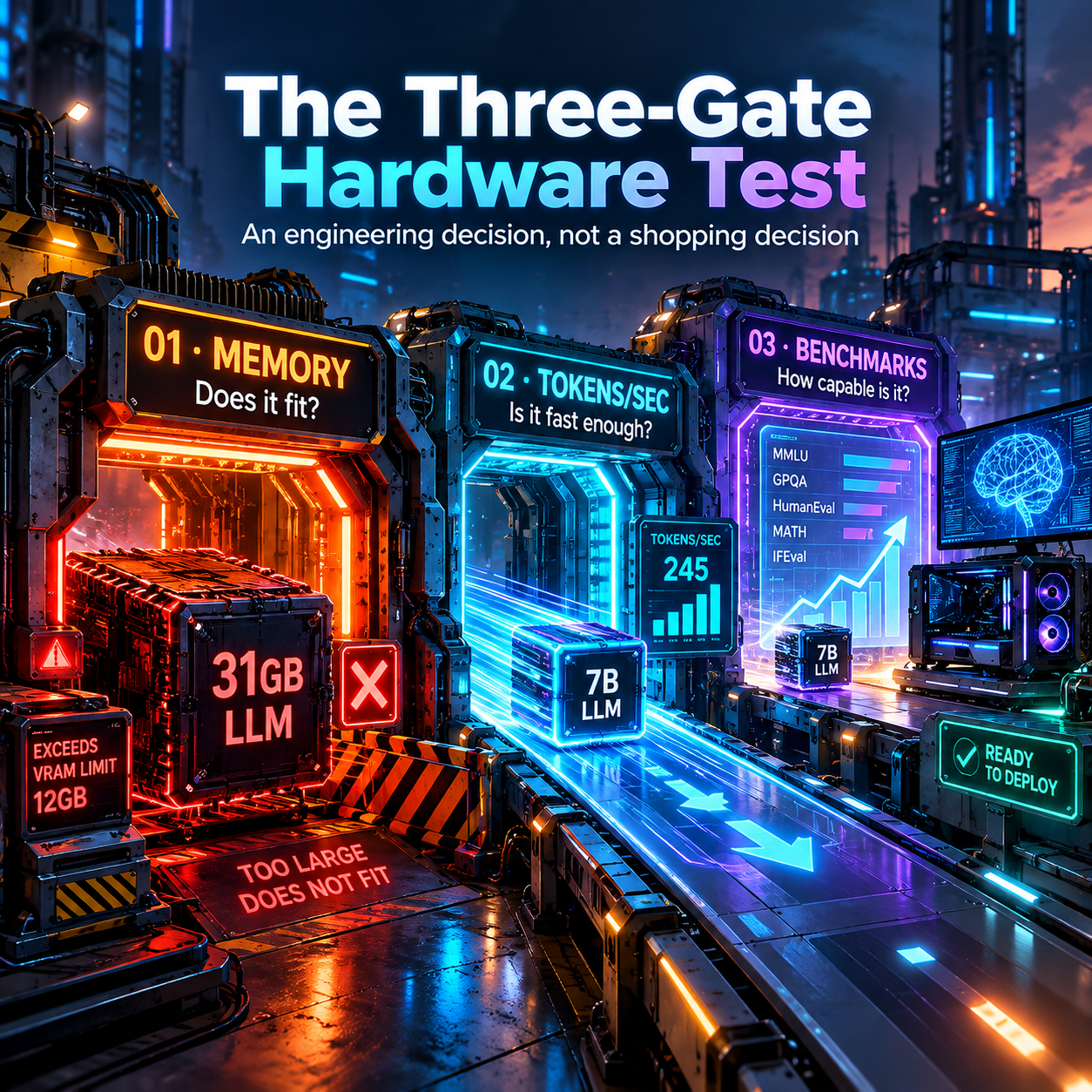
Model choice starts with memory, VRAM on a GPU and unified memory on Apple silicon. The checkpoint has to fit before anything else can happen. A model that does not fit is not slow, it is absent. Step 5 tells you the floor before you read a single benchmark: 650.32 gigabytes of FP8 weights, with a minimum of four B300 or eight H200 GPUs. No leaderboard score changes that number.
Second is tokens per second, because a model that fits and crawls is a demo, not a workstation. You are not buying the ability to load a model. You are buying the ability to use it at a speed a person will actually tolerate.
Benchmarks come third because they describe capability you may never reach. A benchmark is a promise about what the model could do, assuming it fits and assuming it answers fast enough to matter. If the first two constraints fail, the benchmark describes a machine you do not own.
Get the arithmetic right and the rest follows. The floor is the weight file plus the KV cache. The weights are the parameter count at whatever precision you can afford. The KV cache is the part nobody budgets for, and it grows with context length and batch size, not with parameter count. Run a long-context agent and the cache can outgrow the weights. IBM's Granite Switch 4.1 shows the trick that makes composition cheap in memory. Its composable adapters share the base model's key-value cache, so stacking a decisions head or a speech head onto the same endpoint costs almost nothing extra in graphics memory, and each adapter sees only the base model's cache, never another adapter's internal state. That is what memory-aware architecture looks like when a vendor actually does it.
THE TWO ENDS OF THIS WEEK'S HARDWARE LADDER
Put two models side by side. Reflection's Beam is 501 billion total parameters with 23 billion active per token. Step 5 is 600 billion total with 27 billion active. On paper those total counts sit in the same class, and yet their hardware requirements are an ocean apart.
The reason is that total parameters do not decide the bill. What you actually load and serve is driven by the checkpoint size at the precision you choose, and by the serving stack around it. Beam ships with documentation that a well-funded team can self-host, and its BF16 checkpoint lands around a terabyte before quantization, which the team trims to roughly 280 gigabytes by storing some weights in 4 bits. Step 5's FP8 checkpoint is 650.32 gigabytes and its listed minimum is four B300 or eight H200 GPUs. Same week, both open, completely different bank statement.
Now add Meta's Muse Spark Open. It carries 816 billion parameters and a one million token context window, it is natively multimodal, and Meta designed it to run locally on Apple silicon. Running it locally means about a terabyte of RAM, which AI Weekly prices at roughly $38,000 in Mac Studios, specifically four 256 gigabyte M5 Ultra units. Three open models released in the same window, three entirely different answers to the question of what machine you need.
READ THE LATENCY TABLE LIKE AN ENGINEER, NOT A SHOPPER
This is where Llmspeed earns its place. It is a web tool that shows how fast a local model runs on a given device before you spend the money on the hardware. You pick your machine, everything from an RTX 3090 to a Mac Studio M5 Ultra 512GB to an H200 in the cloud, and you pick the model, from Qwen 3.8 27B and GLM-5.3 Flash through GPT-OSS 120B, Gemma 4 26B A4B, Ornith 1.5 35B A3B, DeepSeek V4 Flash, Muse Glimmer 30B and Qwen3 30B A3B.
The honest part is the caveat, and the caveat is the reason to trust it. Measured numbers come from community benchmarks on r/LocalLLaMA and localscore.ai. The rest are derived from similar setups or projected from specifications, and the tool says so plainly on the page. Learn the difference between a measured number and a projected one, and learn to trust a tool that states its own limits.
A spec-sheet number is a promise. A community benchmark is a receipt. A projection is a guess with a good pedigree. When you are about to spend thousands of dollars, you want receipts, and you want the tool honest enough to tell you which rows are guesses. This is the same discipline that shows up when you measure memory instead of assuming it, which is the core of the argument in Your Memory Chip Is the Real Bottleneck. The bottleneck is rarely the chip you can name. It is the resource nobody put on the slide.
THE LAPTOP TIER GOT REAL, WITH ONE CATCH
For years the honest advice was that on-device AI on a Windows laptop was a pitch, not a product. That changed this week, and the change is worth understanding, because it is the Memory First rule showing up in shipping hardware that real people are buying right now.
The Verge spent a week with Nvidia's RTX Spark N1X laptops from six different manufacturers and tested four of them. Their read is that the silicon is an exciting new challenger aimed exclusively at the high end, not a broad answer for the whole market. WIRED's review of the same chip inside the Surface Laptop Ultra called it a true MacBook Pro competitor for Windows and gave it a 7 out of 10, crediting the RTX Spark N1X for the change.
Both reviews land on the same caveat, and it is the one that should decide your purchase. The on-device AI pitch only holds on the configurations carrying the most memory. The Verge found that 32 gigabytes of RAM or less leaves a machine short for its own recommended local models. WIRED concluded that memory, not compute, is the variable that decides what a buyer can actually run. That is exactly the rule, printed in two major reviews inside one week. Buy the memory configuration, not the compute headline. If you are building a rig to run local models, the tier with the biggest memory pool is the tier that runs the biggest model, and no amount of compute closes a gap that memory opened.
THE FLOOR KEEPS MOVING DOWN
Here is the encouraging half of the story, and it matters as much as the expensive half. While the top of the ladder climbed toward $38,000, the bottom rung got cheaper and more capable at the same time.
Liquid AI released LFM2.5-24B-A2B, a 24 billion parameter reasoning model with only 2 billion active parameters per token. Because so few parameters are active at once, each reasoning token is cheap enough to run agents continuously on a local machine. The context window grew from 32K to 131K tokens, and it shipped with day-one support in llama.cpp, MLX, vLLM, SGLang and ONNX. On an Apple M5 Max it decodes 184 tokens per second. That is a reasoning model for private agents, running on a machine a real person already owns.
A year ago that combination, a small active parameter count, a long context, and native support in every common runtime on the day of release, did not exist in one package. The same pattern shows up in the silicon itself, which is the argument in Model-Specific Silicon Is the Next Hardware War: hardware is fragmenting into tiers tuned to specific workloads instead of one general-purpose GPU to rule them all.
The $38,000 tier exists. So does the rung that runs on your desk. Pretending the floor has not moved is how people overbuy. And the machine running your agent workload is not always the machine you assumed, which is why Your Agent Runs on a CPU. NVIDIA Just Built One for It. belongs in this same conversation about what hardware actually serves the model you picked.
WHAT TO DO TODAY
- Write down your actual memory, the unified or VRAM number you own or are buying, before you look at a single model. That number is your filter.
- Check your candidate model's checkpoint size in gigabytes first, from the weights page itself. If it does not fit, skip it and do not read its benchmarks.
- Look the model up on Llmspeed. Trust the measured numbers and treat the projections as estimates, exactly as the tool labels them.
- Sort your candidates by tokens per second on the device you own. Read benchmarks only for the models that survive that cut.
- If you are buying a machine for on-device AI, buy the memory configuration, not the compute headline. Every review this week says the same thing.
THE UNCOMFORTABLE QUESTION
How much money have you spent, or are you about to spend, on compute for a model your memory could never hold in the first place?
Get More Articles Like This
Getting your AI agent setup right is just the start. I'm documenting every mistake, fix, and lesson learned as I build PhantomByte.
Subscribe to receive updates when we publish new content. No spam, just real lessons from the trenches.
Build Real AI Infrastructure
PhantomByte teaches you to build real AI infrastructure yourself: local AI stacks, autonomous agents, multi-agent orchestration, web scraping, and custom tools. Step-by-step PDF tutorials you download, follow, and deploy. No subscriptions. No fluff. Just skills that ship.