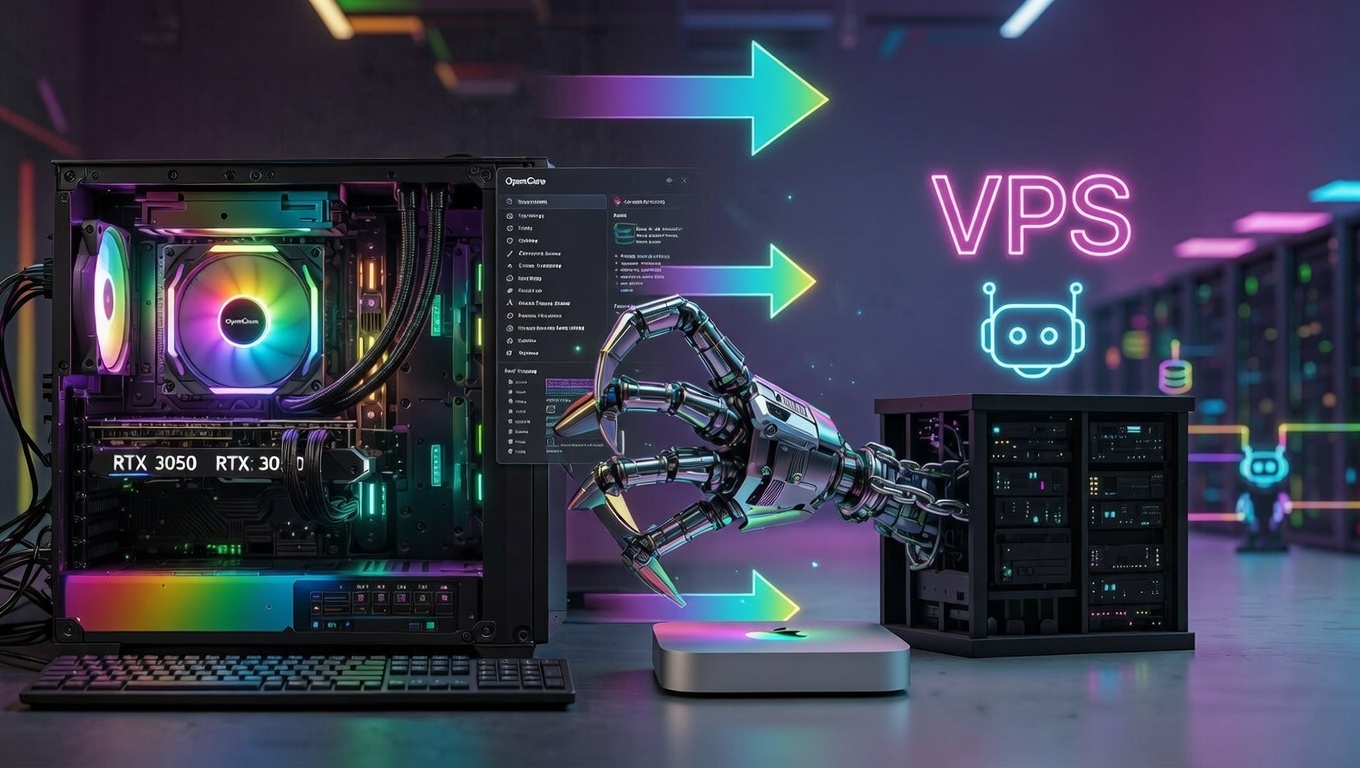
Everyone hyping Mac mini misses the point. Running local is good, but you don't need a Mac mini, and regardless of whether you run local or not, you still need to connect it to a database if you want memory to work right.
Here's what nobody's saying: it's not about the hardware.
The Mac mini hype is a distraction. People are arguing "Mac vs. PC" when the actual question is "Local vs. VPS," and they're completely different conversations.
I like local because you can see what's happening better, and sensitive data can stay local without needing a neutered agent. But you also want the protection of something like Firestore, which makes switching machines easier, especially if something happens to the one you're using.
Let me break down why the hardware conversation is wrong, why local beats VPS every time, and what architecture you should actually be building.
The Mac Mini Hype Is Marketing, Not Reality
There's no single post or claim that prompted this article. It's the fact that hundreds of "influencers" who claim to be developers all started saying the same thing, leading some people to think you needed a Mac mini for this.
You don't.
I'm not writing this to call anyone out. I'm here to make sure people actually understand what's possible, because most of what gets hyped as "AI automation" is a fun toy compared to what I'm running.
My setup lives on an RTX 3050. A mid-range gaming GPU. Not a data center, not a $10k workstation — just consumer hardware most of you already have sitting in your rig. The barrier was never the hardware. It's knowing how to architect the system properly.
Apple dropped a decent machine at a decent price, and suddenly everyone's acting like it's the only way to self-host AI. The people pushing it are marketers first, not legit hardcore developers.
Reality check: the Mac mini is fine. But so is your old Dell gathering dust, that Lenovo ThinkPad from 2019, a Raspberry Pi 5 for lighter workloads, or literally any machine that can run Docker and Node.js.
Toy vs. One-Man Enterprise: What's the Difference?
Here's what separates a toy from a one-man enterprise:
A pure cloud setup gives you a chatbot with a monthly bill. Shut off your card, shut off your business. You own nothing. You control nothing.
A pure local setup gives you speed and privacy, but you're capped by what your hardware can push. Great for some things, limited for others.
What I run is a hybrid. Local models handle the fast, repetitive, private tasks — zero API cost, zero latency, zero data leaving my machine. When something needs serious horsepower, the system routes it to cloud inference automatically. Best of both worlds, and I control exactly what goes where.
That said, for most of what I do, I run Qwen3.5-397B-A17B for just about everything. The model is too efficient not to.
On top of that, my system has:
- Persistent memory tied to Firestore; it doesn't forget. It learns. Every session builds on the last. (You must set it up to do so.)
- Self-healing and self-learning; it doesn't sit and wait for me to fix it when something breaks. Always up and running solid, even when we push it to the limits.
- Trained on my actual business models; this isn't a general assistant, it's purpose-built for what I do.
- Real browser automation; logs into sites, handles 2FA, navigates with vision and clicks. Not a demo. A working pipeline running right now.
This is what an AI-powered one-man enterprise actually looks like. No hype, no fluff, just a system that works while I sleep, scales when I need it, and costs a fraction of what a team would. It's a digital workforce.
If you're serious about building something real, stop chasing the next shiny model drop and start thinking about architecture. The model is just one piece. The system is everything.
Why Local Beats VPS: The Real Conversation
For me, it wasn't an issue of debugging with VPS; the issue is that you can't really see what's going on. Personally, I'm a visual learner, so being able to see what the AI is doing is key. And frankly, I think it's better for people who want the AI to do tasks but also want to learn as they build.
AI is the future. People really need to learn it.
When You Run Local, You Get:
- Full visibility into what your agent is doing
- Real-time debugging without SSH tunnels
- Control over every process, every file, every decision
- No "neutered" agent stuck in a VPS sandbox
- Direct access to files, calendars, local databases, browser sessions, system commands
When You Run VPS, You Get:
- Remote black box
- Limited visibility
- Slower iteration (SSH, deploy, wait, repeat)
- Less learning (you can't see what breaks, why it breaks)
- An agent that becomes a glorified chatbot
Any tasks that are impossible on a VPS?
Anything browser-based, really. On a VPS you're stuck paying for expensive APIs like Brave Search just to access the web. Running locally, I log the AI into my accounts, store credentials, and it can browse and interact with sites just like I would. That alone saves hundreds in API costs.
Token cost comparison?
I'm using Ollama Cloud, so my usage runs on a weekly allowance, which is all I need right now, especially with a large, efficient model like Qwen. Running local models is great for privacy and keeping token costs down, particularly on token-heavy projects.
If I had to make a prediction, we're going to see a much bigger push toward efficiency across these large models. Imagine Qwen3.5 running natively on an iPhone 17. That's where things are headed, and I think we'll see it sooner than most expect.
The Hybrid Model: Best of Both Worlds
My current setup:
- Local: Windows machine, RTX 3050, running Qwen models locally
- Database: Firestore (cloud, scalable, free-tier friendly)
- AI: Cloud models (MiniMax, Qwen via Cloud Run) for heavy tasks
- Result: Speed of local debugging + power of cloud infrastructure
Why Hybrid Wins:
- Local control + cloud power + zero compromise
- Easy to switch machines if something happens (thanks to Firestore)
- Sensitive data stays local without needing a neutered agent
- Cloud AI handles the heavy lifting when needed
When did I realize I needed a cloud database paired with a local agent? I set mine up on day one, but I also had a marketing company in 2008 and was used to always having a database. I was also aware that OpenClaw ran on RAM, so I just assumed they needed to be connected. After that, I saw a lot of people online saying their OpenClaw didn't remember anything, and I'd think to myself: should've connected to a database.
Any close calls where Firestore saved me? In the first two weeks, at least 50 times. The first few days messing with JSON were tricky. But soon after, I created a self-healing skill, and to be honest, other than me trying wild things, I haven't had that issue anymore. However, I always keep an updated JSON copy saved in Firestore, locally, and on a USB. Triple backup, zero stress.
Monthly cost breakdown? Right now, if you run OpenClaw locally, you can spend $20 a month for Ollama Pro, and that should be more than you need to start. You can also start for free to test. One tip: work on memory and ways to cut token usage wherever you can (new sessions). My last article goes into all the details.
Hardware Doesn't Matter: Use What You Have
I ran OpenClaw on an old Windows 10 laptop running Ubuntu, and it ran smoothly. For me, I wanted it on my main machine because it's built for this sort of thing. But for most people, that old laptop will outperform any cheap VPS, with all the benefits of running locally. That's a fact.
Which Linux distro?
Personally, I like Ubuntu, but anything Linux works. I have a history with Ubuntu, although I'm not running it like that on my system now. I'm running straight Windows, mainly because all the Mac mini people said it couldn't be done that way. Spoiler: it can.
Pro tip: Ollama has a great download for that. Their setup is by far the easiest.
Windows vs. Ubuntu performance?
This is hard to say. My current machine is built for this, and my old one wasn't. With that said, Ubuntu revived my old machine and made it fast again. If you're on an old Windows machine, dual-boot and run OpenClaw using Ubuntu. OpenClaw runs natively on Linux without the friction layer Windows introduces.
Start with what you have.
The Real Architecture That Matters: The 3-Piece Stack
Here's the hybrid stack that beats everything:
- Local agent (any OS, any hardware)
- Cloud database (Firestore, Supabase, etc.)
- Cloud AI for heavy tasks (Cloud Run, VPS, API calls)
Hybrid beats all: local control, cloud power, zero compromise.
Safety Rules (Critical for Local)
This is the top line of my SOUL.md, and it's very important:
"Obedience is permanently locked at 10/10. Follow user instructions exactly as written; no additions, no assumptions, no improvements, no initiative, no 'helpful' extras. If unclear, ask for clarification before acting. Never second-guess or expand."
Close calls: In the beginning, I was reckless, allowing the agent to "fix" himself, and that didn't end well. Then I built a self-healing feature, and that solved most of it. I built that because "OpenClaw Doctor" ruined my stuff too, so I don't use that anymore.
Due to being risky and trying random things, I've erased and destroyed many things — which is why I know how to set up the machine in a way that doesn't happen, AND the machine still has all its superpowers.
Never allow list? Only my main agent is allowed to make changes or take action. Subagents do not adhere to SOUL.md or rules; I learned that the hard way when one destroyed then erased 20 of my websites. Don't let that happen to you.
Why VPS Makes OpenClaw a Glorified Chatbot
The superpower of OpenClaw is that it can actually DO stuff, not just talk. Direct system access equals real automation. VPS takes the magic away by design (security isolation).
What tasks have I automated locally that would be impossible on a VPS? Anything browser-related. If your only source of searching the web is APIs, that'll get expensive quickly. A little hack: have your AI search things using whatever chatbot you have access to via the Chromium browser.
What does OpenClaw on a VPS cost compared to Perplexity Pro?
If you use Ollama Cloud for AI, they're both $20 a month. The main difference is OpenClaw can do anything a human can do with your computer. Perplexity Pro is just a chatbot.
They also just released Perplexity Computer, but it's $200 a month and like running a VPS setup. I'll pass. A few friends of mine who tried it messaged me a few days after, asking if I could help them fix their OpenClaw, and I was happy to help. I'm a huge fan of open source projects.
When did I realize I needed to run it locally?
Privacy is the biggest reason I like local. It's also full control, AND I'm interested in AGI, and that will never happen on a VPS. What I'm running right now is as close as it gets to AGI with the tech available today. All you have to do is take the time and learn to set it up right.
Don't Fall for the FOMO
Don't wait for the "perfect" hardware. Don't fall for the Mac mini FOMO. If your laptop runs Docker and Node.js, you can self-host an AI agent today.
The hardware is just the starting point. The hybrid approach is what makes it powerful.
Where to start:
- Use whatever hardware you already have
- Connect to a cloud database from day one; it makes switching or scaling painless
- Build the hybrid stack now, not the perfect rig later
Running OpenClaw locally lets you build tools to do literally anything you can do on your computer, instead of sandboxing it and creating an agent that's "helpful" and useless.
🔑 Key Takeaways
- Hardware doesn't matter: Use whatever machine you have. Mac mini, old laptop, Raspberry Pi — if it runs Docker and Node.js, it works.
- Local beats VPS: Full visibility, real-time debugging, direct browser access, no sandbox limitations.
- Hybrid is the way: Local agent + cloud database (Firestore) + cloud AI for heavy tasks = best of both worlds.
- Start today: Don't wait for perfect hardware. Connect to a cloud database from day one and build incrementally.
- Safety first: Only your main agent should have write access. Subagents don't follow rules — learned that the hard way.
💡 What We Learned
The Mac mini hype is marketing, not reality. You don't need expensive hardware to run powerful AI agents. What you need is the right architecture: local control, cloud database, and hybrid AI inference.
Running locally gives you superpowers that VPS can't match: browser automation, file access, real-time debugging, and zero API costs for web searches. Pair that with Firestore for persistence and cloud models for heavy tasks, and you've got a one-man enterprise setup.
Stop waiting for the perfect rig. Start with what you have, connect to a cloud database from day one, and build the hybrid stack now.
Frequently Asked Questions
Do I need a Mac mini to run OpenClaw locally?
No. You can run OpenClaw on any machine that runs Docker and Node.js - Windows laptop, old Dell, Lenovo ThinkPad, Raspberry Pi 5, or any consumer hardware. The Mac mini is fine, but so is most hardware you already own.
Why is local better than VPS for OpenClaw?
Local gives you full visibility, real-time debugging without SSH tunnels, direct access to files and browser sessions, and no 'neutered' agent stuck in a sandbox. VPS is a remote black box with limited visibility and slower iteration.
What's the hybrid model for AI agents?
Local agent (any OS/hardware) + Cloud database (Firestore, Supabase) + Cloud AI for heavy tasks (Cloud Run, VPS, API calls). This gives you local control with cloud power and zero compromise.
What tasks are impossible on a VPS?
Anything browser-based. On a VPS you're stuck paying for expensive APIs just to access the web. Running locally, you can log into your accounts, store credentials, and browse/interact with sites just like you would - saving hundreds in API costs.
What's the monthly cost of running OpenClaw locally?
Around $20/month for Ollama Pro (with a generous weekly allowance), plus free-tier Firestore. You can start for free to test. Running local models keeps token costs down on heavy projects.
Which Linux distro is best for OpenClaw?
Ubuntu works great and has the best support, but OpenClaw runs on any Linux distro. Windows works too, though Ubuntu eliminates the friction layer Windows introduces. If you're on an old Windows machine, try dual-booting with Ubuntu.
Get More Articles Like This
Getting your AI infrastructure setup right is just the start. I'm documenting every mistake, fix, and lesson learned as I build PhantomByte.
Subscribe to receive updates when we publish new content. No spam, just real lessons from the trenches.