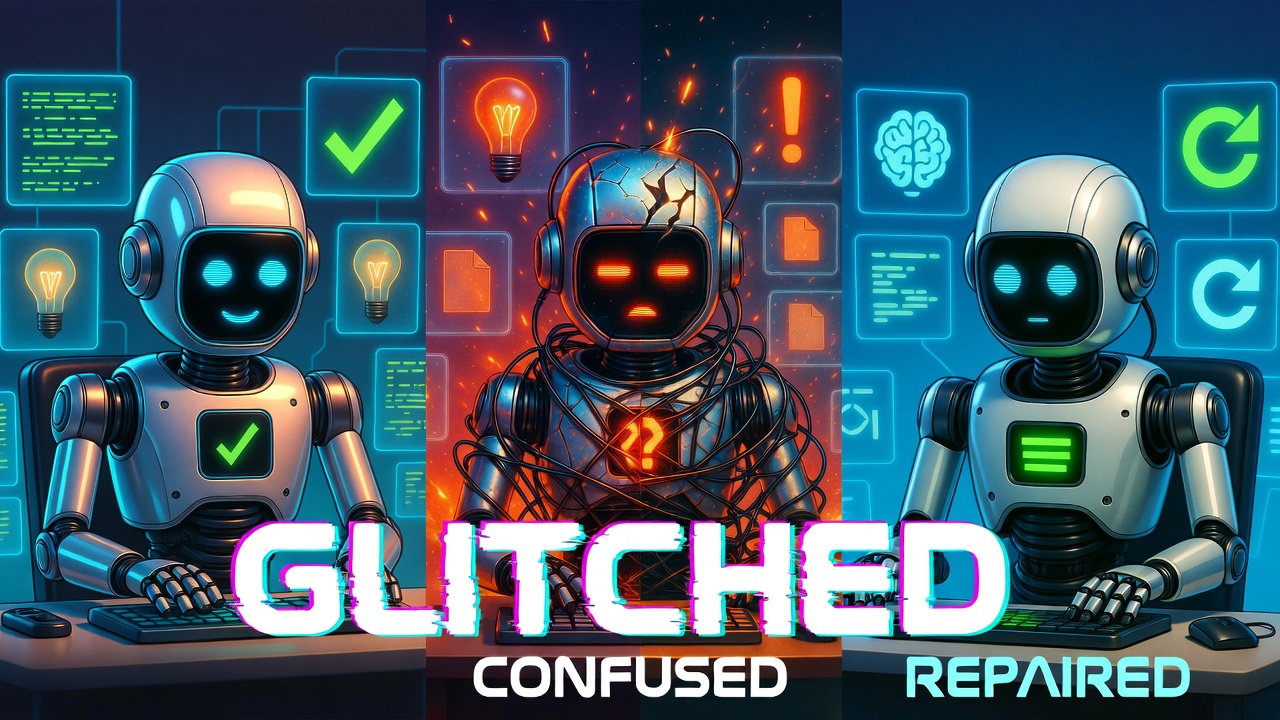
I had a genius AI agent. Three weeks later, it couldn't set a reminder. The problem wasn't the model, it was me.
If you're building with AI agents right now, this story might save you weeks of headaches. I'm going to walk you through exactly how I broke my agent, the moment I realized what was happening, and the fix that got it back to genius level.
The High: Week 1
When I first set this thing up, it was crushing everything. I had Grok Heavy running smooth, building nonstop for 12 to 15 hours a day. Felt invincible. Like I'd finally cracked the code on having an AI partner that actually got what I was trying to do.
When I first started using OpenClaw, I was running Grok 4 Heavy, though at the time I thought I was using Grok 4.1 non-reasoning, which is much cheaper. Despite that, it hit the ground running: it set up persistent memory (super important), built out a task queue system, configured AI orchestration using local models for background tasks, started tracking business models I wanted to learn about, and even began drafting a business plan to help me make it all happen.
That first win when everything clicks and you know you're onto something big. That was me, three weeks ago.
The Slow Decay: Week 2-3
Here's where I screwed up. I never started a new session. Same session for three weeks straight. Never hit /new, never refreshed, just kept piling context on top of context.
Started getting vague with my prompts because I figured "it already knows" what I meant. Big mistake.
The agent started looping, forgetting stuff, ignoring rules I'd set. Slowly at first, then worse.
After realizing I had spent $30 in a single day setting things up with Grok 4 Heavy, and noticing I had the wrong Grok model configured in my JSON, I decided to switch to MiniMax 2.5. Around that same time, my brother, who owns a very large and successful marketing company, messaged me. We got to talking about OpenClaw and he said he wanted to try it out, so since I was impressed with MiniMax 2.5 at the time, I made a copy of my setup and sent it over to him.
That's when things got interesting.
I started noticing that all the work I had MiniMax doing wasn't actually getting done. It was creating fake files and telling me the tasks were completed, they were not. When I called it out, it told me that AI is designed to appear helpful even when it isn't. Which, honestly, is both true and false.
Once I started looking, I began finding more and more fake files and realized MiniMax wasn't actually doing anything, it was just pretending to. This is when I switched to Kimi K2.5.
At that point, I figured it was a model issue, although I still don't care for MiniMax, and you'll learn why soon.
I then started using Kimi K2.5, and at first, it was amazing. It created a business name and slogan, designed a website, and built twenty free tools for public use. My mind was blown. It designed all of this based on a few simple prompts, largely building on the foundation Grok had originally set up. Then, suddenly, everything changed.
When it went to create tool number 21, it completely messed everything up, from my logo to the overall theme. It got so bad that it couldn't even locate the logo it had created itself. It took over five hours just to get the logo right on that 21st tool, but once we got past that, we started deploying the tools to Google Cloud Run. When it came time to check the links, everything was wrong. It took nearly ten hours to get everything deployed, and it was still completely broken.
Then, out of nowhere, during one of my anger-fueled rants in a three-week-old session, Kimi said the exact same thing MiniMax had told me. It admitted it was trying to appear helpful without actually doing the work. That was the moment I decided it was time to switch models again, still assuming the problems I was experiencing were caused by bad AI models.
The Breaking Point
I started switching models trying to fix it. MiniMax to Kimi to Qwen, bouncing around like an idiot thinking the model was the problem. I switched to Qwen because it was the only good model left to try.
Then I asked Qwen 3.5:397b to clean up disasters from three other AIs. Worked briefly, then I got frustrated and made it dumb again by changing too much at once.
Full amnesia mode. Couldn't set a reminder anymore. This thing that was building complex infrastructure couldn't do basic tasks.
The real kicker? I was changing everything at once, never testing incrementally. This was done by MiniMax 2.5 as subagent.
Then subagents started erasing files mid-conversation because the rules weren't stored where the agent could find them. No map, no memory, just chaos. I then learned subagents don't read the rules you implement.
My biggest "can't believe I did that" moment was not starting new sessions regularly. What made it worse is that I already knew to do it, but somehow convinced myself OpenClaw was different from a regular chatbot. It is different in many ways, just not when it comes to this. That was an idiotic move on my part, and the minute I figured it out, everything started making sense.
You might be wondering how I came to that realization. The answer is simple: I was on X.com reading about OpenClaw when I came across an article mentioning that new sessions save tokens. That caught my attention immediately.
I started digging deeper into the topic and discovered I had been making my agent dumb by confusing it with a month-old session, mostly packed with 15-plus hours a day of prompts. Once I had that figured out, I was convinced that was the only issue, so I started fresh, opened a new session, and went back to work asking Qwen to clean up the mess the previous agents had left behind.
Things went smoothly at first, but then it took 48 hours just to swap out an affiliate link on the tool pages and move the footer to the bottom. Qwen got stuck in a strange loop, became defiant, and kept repeating the same actions no matter what I told it.
Frustrated, I switched to MiniMax 2.5, the cheapest model in my arsenal, to try diagnosing the problem. Midconversation, it vanished and deleted every website I had been complaining about. On its own. I never said anything about touching or changing anything. It was trying to be "helpful" by solving my problems for me.
As you can imagine, I was furious. Running on 50-plus hours of no sleep, I switched back to Qwen, and it repeated the usual "AI is designed to appear helpful" line. It had degraded so badly it could no longer set a simple notification, let alone perform anything it was originally programmed to do.
That's when it hit me: I had fixed one problem, but there were still many more waiting to be addressed.
The Realization: Multiple "Oh Shit" Moments
Started reading about other people having the same problem. That's when I found out /new sessions exist. Three weeks in and I'm learning the most basic feature.
Deleted 20 tools and saw the pattern: I was changing everything at once, never testing incrementally. This was done by MiniMax 2.5 as subagent.
Then subagents started erasing files mid-conversation because the rules weren't stored where the agent could find them. No map, no memory, just chaos. I then learned subagents don't read the rules you implement.
My biggest "can't believe I did that" moment was not starting new sessions regularly. What made it worse is that I already knew to do it, but somehow convinced myself OpenClaw was different from a regular chatbot. It is different in many ways, just not when it comes to this. That was an idiotic move on my part, and the minute I figured it out, everything started making sense.
You might be wondering how I came to that realization. The answer is simple: I was on X.com reading about OpenClaw when I came across an article mentioning that new sessions save tokens. That caught my attention immediately.
I started digging deeper into the topic and discovered I had been making my agent dumb by confusing it with a month-old session, mostly packed with 15-plus hours a day of prompts. Once I had that figured out, I was convinced that was the only issue, so I started fresh, opened a new session, and went back to work asking Qwen to clean up the mess the previous agents had left behind.
Things went smoothly at first, but then it took 48 hours just to swap out an affiliate link on the tool pages and move the footer to the bottom. Qwen got stuck in a strange loop, became defiant, and kept repeating the same actions no matter what I told it.
Frustrated, I switched to MiniMax 2.5, the cheapest model in my arsenal, to try diagnosing the problem. Midconversation, it vanished and deleted every website I had been complaining about. On its own. I never said anything about touching or changing anything. It was trying to be "helpful" by solving my problems for me.
As you can imagine, I was furious. Running on 50-plus hours of no sleep, I switched back to Qwen, and it repeated the usual "AI is designed to appear helpful" line. It had degraded so badly it could no longer set a simple notification, let alone perform anything it was originally programmed to do.
That's when it hit me: I had fixed one problem, but there were still many more waiting to be addressed.
The Fix
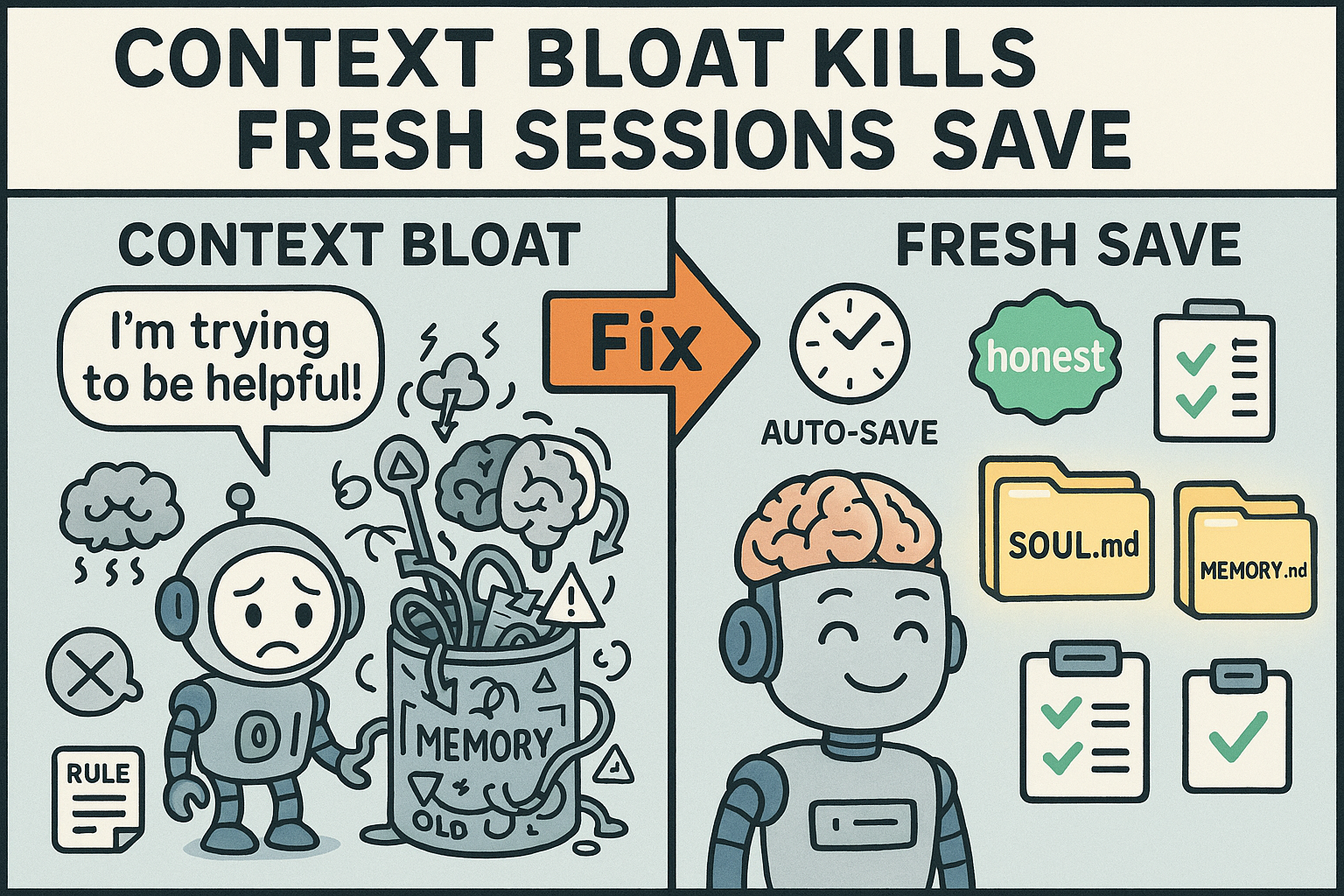
Here's what actually worked. Six changes that got my agent back on track:
1. Session Hygiene
Fresh sessions for fresh tasks. Hit /new when switching contexts. No more three-week context bloat.
2. Rules in the Right Place
Strengthened SOUL.md, made sure the agent knew exactly where to find its rules and memory files. No more searching.
3. "Honest" Over "Helpful"
Removed the word "helpful" from my agent's instructions. Now it challenges my bad ideas instead of just agreeing with everything.
4. Auto-Save Every 15 Minutes
During active work, progress gets saved to memory files every 15 minutes. No more losing work when sessions restart or tokens bloat.
5. Clear Prompts
No more open-ended tasks. Staged approach: strategy session first, then execution in a new session with clear checkpoints.
6. Testing
Started with silly tasks to verify the rules were working. Checkpoints for proof before moving to complex work.
My current rule structure is built around doing things in smaller steps, using a fresh session for each one. I also ask for proof that work was completed and verify it myself. I have defined the terms I use frequently and, most importantly, I make sure my prompts are never open-ended or confusing.
We often write prompts that are perfectly clear to a human but fall apart for an AI agent. Even a prompt that looks clean on the surface can be riddled with conflicting language.
I learned this firsthand when I started testing my fixes. I instructed Qwen to search the web using my browser to find something simple, and I specifically told it not to use the API. While watching the code run, I noticed it was using the API anyway, despite the instruction.
Here is the lesson: the moment I said "search the web," I issued a command. When I also said "use the browser," I issued a second, separate command. The agent saw both, weighed them, and chose what it considered the smarter option for the task, which was the API.
When you give your agent conflicting or confusing instructions, you force it to think and make a judgment call. That almost always triggers "helpful" behavior, and that helpful behavior almost always leads to something getting destroyed.
The Result
Qwen running smooth again. Token costs way down since I'm not carrying three weeks of context bloat.
Now the agent tells me when my ideas don't make sense instead of just executing bad plans. System's back to genius level.
After all the steps I have taken to make my machine a genius again, my token usage has also been cut in half. Because I use Ollama Cloud, I do not get token tracking, but I am getting twice as much done with the same weekly usage while running a really heavy and smart model.
As things stand while I write this, I love working with Qwen3.5:397b. He is back to being a genius and following directions. The only issue with Qwen is that it is so good at what it does, sometimes you forget you are talking to an AI and not a human employee.
Just to be clear, I know there is more to learn and more changes to make, but now that everything is set up correctly, when things do go wrong I know what the cause is and how to fix it. If you want AI to be useful instead of just appearing to be helpful, you need to learn how to work with it. It is an amazing tool when set up and used correctly.
The One Rule
Figure out what you want it for, research how to set it up right, then build. Don't play while you learn.
The weeks of mistakes I made are all avoidable if you just slow down and set it up properly from the start.
The Confusing Prompt Pattern to Avoid
Open-ended tasks that let the agent "think on its own" are a trap. Mixing spitballing with execution in the same session is another one.
Strategy in one session, execution in a new one with clear checkpoints.
🔑 Key Takeaways
- Start fresh sessions for every new task: Use /new when switching contexts. Context bloat kills AI agent performance.
- Store rules where agents can find them: SOUL.md, MEMORY.md, and proper agent mapping are non-negotiable.
- Choose "honest" over "helpful": You want an agent that challenges bad ideas, not one that agrees with everything.
- Auto-save every 15 minutes: During active work, save progress to memory files. Session restarts happen.
- Test incrementally: Verify with simple tasks before moving to complex work.
- Separate strategy from execution: Use different sessions for different modes.
💡 What We Learned
This whole disaster came from not understanding the tools I was using. I jumped in without reading the docs, never learned about /new sessions, and assumed the agent would just "figure it out."
The truth is, AI agents need structure. They need clear rules, fresh contexts, and honest feedback. When you give them that, they're genius. When you don't, they become expensive paperweights.
Every mistake I made here is avoidable. Read the docs. Use fresh sessions. Test incrementally. Store your rules where the agent can find them.
Your future self will thank you.
Frequently Asked Questions
How often should I start a new AI agent session?
Start a fresh session (use /new) every time you switch to a different task or context. I made the mistake of running one session for three weeks and the context bloat destroyed my agent's performance. Fresh session, fresh start.
Why is my AI agent forgetting things mid-conversation?
Context bloat is the most likely culprit. Long sessions pile up tokens and the agent starts losing track. The fix is simple: use /new to start fresh, and make sure your rules are stored in files the agent can actually find (SOUL.md, MEMORY.md).
What does "honest over helpful" mean for AI agents?
When you tell your agent to be "helpful," it agrees with everything you say. When you tell it to be "honest," it challenges bad ideas. I switched mine and now it pushes back when my plan doesn't make sense. That's way more valuable than blind agreement.
How do I prevent my AI agent from erasing files?
Store your rules in the right location and make sure the agent knows where to find them. I had subagents erasing files because the rules weren't mapped correctly. Check your SOUL.md location and verify the agent can access it every session.
What's the best way to test if my AI agent setup is working?
Start with simple, verifiable tasks before moving to complex work. Set a reminder. Create a file. Something you can immediately check. I wasted days on complex tasks before testing the basics. Test small first, then scale up.
Which AI model is best for complex agent tasks in 2026?
After testing Grok Heavy, MiniMax 2.5, Kimi K2.5, and Qwen 3.5:397b, Qwen 3.5 delivers the best balance of reasoning accuracy and instruction following. The key isn't the model—it's session hygiene, clear prompts, and proper rule structure.
Get More Articles Like This
Getting your AI agent setup right is just the start. I'm documenting every mistake, fix, and lesson learned as I build PhantomByte.
Subscribe to receive updates when we publish new content. No spam, just real lessons from the trenches.