
On April 2, 2026, OpenAI quietly added something to their bug bounty program that should scare every AI infrastructure engineer: MCP servers.
Specifically, they called out "third-party prompt injection and data exfiltration via MCP-connected agents" as in-scope vulnerabilities worth up to $6,500 per report.
That is not academic hand-wringing. That is validation that MCP has graduated from a cool local experiment to a production attack surface. The Model Context Protocol has become the glue connecting AI agents to real-world tools, and where there is glue, there are cracks.
Most MCP content online stops at "hello world." This guide bridges the gap between demo and production. If you are building MCP servers for real users, here is everything Anthropic's documentation glosses over. Security paradigms at this level are language agnostic.
The examples below utilize both Python and TypeScript to demonstrate that whether you are integrating with local data science workflows or standing up scalable web infrastructure, the core defense boundaries remain identical.
Trust No One: Understanding MCP's Security Model
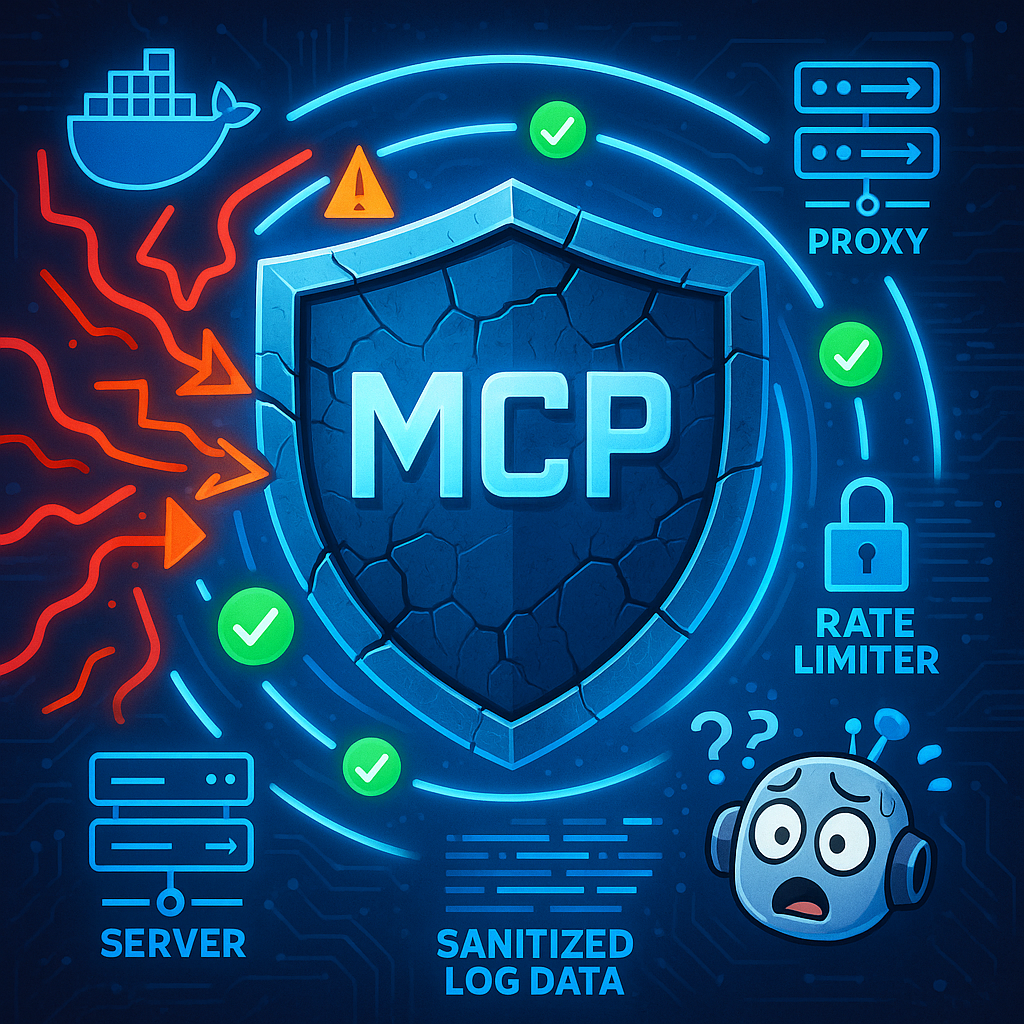
MCP's security model is intentionally designed around one principle: trust no one. However, the documentation treats that like a philosophical stance rather than an engineering constraint. Let us translate it into practice.
Tool Annotations: Hints, Not Guarantees
MCP provides tool annotations like readOnlyHint and destructiveHint. They sound helpful, but here is the critical detail most developers miss: these are suggestions, not enforcement mechanisms.
# This tool is MARKED as read-only. Nothing enforces it.
@mcp.tool(
    name="query_database",
    description="Execute a read-only SQL query",
    annotations={
        "readOnly": True,  # This is just a hint
    }
)
async def query_database(sql: str) -> str:
    # If your implementation allows DROP TABLE here,
    # the annotation will not stop it
    return await db.execute(sql)
A malicious or confused client can, and will, ignore these annotations. OpenAI's bug bounty explicitly targets this trust gap. What happens when a large language model follows a user's request that contradicts a tool's intended safety profile?
The Trust Boundary Problem
MCP establishes three critical boundaries:
- Client ↔ Server: The transport layer where authentication happens.
- Server ↔ Resources: Your server's access to external systems like databases, APIs, or filesystems.
- Tools ↔ Execution: What actually happens when a tool is invoked.
Most security guides focus on the first boundary. Production security requires defending all three.
Defeating Prompt Injection at the Tool Boundary
Because you cannot trust the LLM to filter malicious intent, you must sanitize inputs before execution. Prompt injection payloads often masquerade as legitimate data. Strict schema validation is your first line of defense against exfiltration and injection attempts.
import { z } from 'zod';

// Define a strict schema that rejects unexpected commands or structures
const UserUpdateSchema = z.object({
  userId: z.string().uuid(),
  email: z.string().email(),
  // Explicitly deny additional properties
}).strict();

server.tool(
  'update_user',
  'Updates a user email address securely',
  async (args) => {
    try {
      // The payload is validated before any backend logic executes
      const safeArgs = UserUpdateSchema.parse(args);
      await db.updateEmail(safeArgs.userId, safeArgs.email);
      return { success: true };
    } catch (error) {
      // Log the injection attempt and fail closed
      logger.warn('Tool payload validation failed', { error, payload: args });
      throw new MCPSecurityError('Invalid arguments provided');
    }
  }
);
Securing Your MCP Server: Authentication Patterns That Work
MCP supports two transport modes: stdio for local communication and Streamable HTTP for remote servers. Each requires different security models.
Transport-Level Security
STDIO mode is for local use only. It relies on process isolation and OS-level permissions. There are no authentication tokens needed because the OS acts as the boundary. This is best for local development, desktop agents, and single-user tools.
Streamable HTTP is for remote deployments. It requires TLS termination with absolutely no exceptions. You must implement token or OAuth-based authentication alongside session management and token refresh logic. This is mandatory for multi-user deployments, SaaS integrations, and enterprise environments.
// Production-ready MCP server with Bearer token auth
import { Server } from '@modelcontextprotocol/sdk/server/index.js';
import { StreamableHTTPServerTransport } from '@modelcontextprotocol/sdk/server/streamableHttp.js';

const server = new Server({ name: 'secure-mcp', version: '1.0.0' }, {
  capabilities: {
    tools: {},
    logging: {}
  }
});

const transport = new StreamableHTTPServerTransport({
  port: 3000,
  // Custom auth middleware
  authenticate: async (req) => {
    const authHeader = req.headers.authorization;
    if (!authHeader?.startsWith('Bearer ')) {
      throw new Error('Unauthorized');
    }

    const token = authHeader.slice(7);
    const claims = await verifyToken(token); // Your JWT validation

    // Attach user context for tool calls
    req.mcpContext = { userId: claims.sub, permissions: claims.scopes };
    return true;
  }
});

server.connect(transport);
Capability-Based Access Control
Do not just authenticate; authorize. Each user session should receive a filtered tool set based on their specific permissions.
from mcp.server.fastmcp import FastMCP
from functools import wraps

mcp = FastMCP("secure-server")

def require_permission(permission: str):
    def decorator(fn):
        @wraps(fn)
        async def wrapper(*args, ctx=None, **kwargs):
            user_perms = ctx.get("permissions", []) if ctx else []
            if permission not in user_perms:
                raise PermissionError(f"Missing permission: {permission}")
            return await fn(*args, ctx=ctx, **kwargs)
        return wrapper
    return decorator

@mcp.tool()
@require_permission("database:write")
async def update_user_email(user_id: str, email: str, ctx=None) -> str:
    # Only reachable if user has 'database:write' permission
    await db.users.update({"email": email}, where={"id": user_id})
    return "Updated successfully"
Rate Limiting and Resource Quotas
Production MCP servers need circuit breakers. Implement token bucket or sliding window rate limits at the transport layer to prevent denial of service attacks.
import time
from collections import defaultdict
from typing import Dict, Tuple

class RateLimiter:
    def __init__(self, requests_per_minute: int = 60):
        self.limits: Dict[str, Tuple[list, int]] = defaultdict(
            lambda: ([], requests_per_minute)
        )

    def check(self, user_id: str) -> bool:
        now = time.time()
        timestamps, limit = self.limits[user_id]

        # Clear old entries
        cutoff = now - 60
        while timestamps and timestamps[0] < cutoff:
            timestamps.pop(0)

        if len(timestamps) >= limit:
            return False

        timestamps.append(now)
        return True

# Apply in auth middleware
rate_limiter = RateLimiter(requests_per_minute=30)

async def authenticate(req):
    claims = await verifyToken(req.headers.get("Authorization"))
    if not rate_limiter.check(claims.sub):
        raise RateLimitError("Too many requests")
    return claims
From Local Demo to Production: MCP Deployment Guide
Your working npx command does not cut it for production. Here is how to deploy MCP servers that survive real traffic.
Docker Containerization
# Dockerfile
FROM node:20-alpine

WORKDIR /app
COPY package*.json ./
RUN npm ci --only=production

COPY . .
RUN npm run build

# Run as non-root user
USER node

EXPOSE 3000

# Health check endpoint
HEALTHCHECK --interval=30s --timeout=3s --start-period=5s --retries=3 \
  CMD wget --no-verbose --tries=1 --spider http://localhost:3000/health || exit 1

CMD ["node", "dist/index.js"]
Environment-Based Configuration
Never hardcode credentials. Use a tiered configuration system:
// config.ts
import { z } from 'zod';

const configSchema = z.object({
  NODE_ENV: z.enum(['development', 'staging', 'production']),
  PORT: z.string().transform(Number).default('3000'),
  DATABASE_URL: z.string(),
  JWT_SECRET: z.string(),
  RATE_LIMIT_RPM: z.number().default(60),
  MAX_TOOL_EXECUTION_TIME_MS: z.number().default(30000),
  LOG_LEVEL: z.enum(['debug', 'info', 'warn', 'error']).default('info')
});

export const config = configSchema.parse(process.env);
Reverse Proxy Configuration (Nginx)
# /etc/nginx/sites-available/mcp-server
upstream mcp_backend {
    server 127.0.0.1:3000;
    keepalive 32;
}

server {
    listen 443 ssl http2;
    server_name mcp.yourdomain.com;

    ssl_certificate /etc/letsencrypt/live/yourdomain.com/fullchain.pem;
    ssl_certificate_key /etc/letsencrypt/live/yourdomain.com/privkey.pem;

    # Security headers
    add_header Strict-Transport-Security "max-age=63072000" always;
    add_header X-Frame-Options "DENY" always;
    add_header X-Content-Type-Options "nosniff" always;

    # Body size limits (Adjusted for heavy LLM context and base64 images)
    client_max_body_size 50m;
    client_body_timeout 60s;

    location / {
        proxy_pass http://mcp_backend;
        proxy_http_version 1.1;
        proxy_set_header Connection "";
        proxy_set_header Host $host;
        proxy_set_header X-Real-IP $remote_addr;

        # MCP-specific: increase timeouts for long-running tools
        proxy_read_timeout 120s;
        proxy_send_timeout 120s;
    }
}
Kubernetes Deployment Pattern
# k8s-deployment.yaml
apiVersion: apps/v1
kind: Deployment
metadata:
  name: mcp-server
spec:
  replicas: 3
  selector:
    matchLabels:
      app: mcp-server
  template:
    metadata:
      labels:
        app: mcp-server
    spec:
      containers:
      - name: mcp-server
        image: your-registry/mcp-server:latest
        ports:
        - containerPort: 3000
        env:
        - name: DATABASE_URL
          valueFrom:
            secretKeyRef:
              name: mcp-secrets
              key: database-url
        resources:
          requests:
            memory: "256Mi"
            cpu: "250m"
          limits:
            memory: "512Mi"
            cpu: "500m"
        livenessProbe:
          httpGet:
            path: /health
            port: 3000
          initialDelaySeconds: 30
          periodSeconds: 10
        readinessProbe:
          httpGet:
            path: /ready
            port: 3000
          initialDelaySeconds: 5
          periodSeconds: 5
Building Observability Into Your MCP Infrastructure
You cannot secure what you cannot see. Production MCP servers need comprehensive audit logging and monitoring.
Tool Call Logging
Log every tool invocation with full context:
interface ToolCallLog {
  timestamp: string;
  userId: string;
  sessionId: string;
  toolName: string;
  arguments: Record;
  resultStatus: 'success' | 'error' | 'timeout';
  executionTimeMs: number;
  clientInfo?: string;
}

async function logToolCall(log: ToolCallLog) {
  // Send to your logging pipeline
  await logger.info('mcp.tool_call', log);

  // Send to SIEM if configured
  if (config.SIEM_ENDPOINT) {
    await fetch(config.SIEM_ENDPOINT, {
      method: 'POST',
      headers: { 'Content-Type': 'application/json' },
      body: JSON.stringify(log)
    });
  }
}

// Wrap all tool calls
server.setToolCallHandler(async (request, context) => {
  const startTime = Date.now();
  let result;

  try {
    result = await executeTool(request);

    await logToolCall({
      timestamp: new Date().toISOString(),
      userId: context.userId,
      sessionId: context.sessionId,
      toolName: request.name,
      arguments: sanitizeArgs(request.arguments), // Remove PII
      resultStatus: 'success',
      executionTimeMs: Date.now() - startTime
    });

    return result;
  } catch (error) {
    await logToolCall({
      timestamp: new Date().toISOString(),
      userId: context.userId,
      sessionId: context.sessionId,
      toolName: request.name,
      arguments: sanitizeArgs(request.arguments),
      resultStatus: error.name === 'TimeoutError' ? 'timeout' : 'error',
      executionTimeMs: Date.now() - startTime
    });
    throw error;
  }
});
Error Handling and Client Notification
Do not leak internal database or infrastructure details to clients.
class MCPSecurityError extends Error {
  constructor(
    message: string,
    public code: string,
    // Internal details never sent to client
    public internalDetails?: Record
  ) {
    super(message);
  }

  toClientError() {
    return {
      message: this.message, // Safe, sanitized message
      code: this.code
    };
  }
}

// In error handler
server.on('error', (error, context) => {
  if (error instanceof MCPSecurityError) {
    // Log full details internally
    logger.error('MCP security error', {
      ...error.toClientError(),
      internalDetails: error.internalDetails,
      userId: context.userId
    });

    // Send safe message to client
    return error.toClientError();
  }

  // Generic fallback for unknown errors
  logger.error('Unexpected MCP error', { error, context });
  return { message: 'Internal server error', code: 'INTERNAL_ERROR' };
});
Metric Collection
Track these production metrics:
// Prometheus-style metrics
const mcpToolCallsTotal = new Counter({
  name: 'mcp_tool_calls_total',
  help: 'Total tool calls',
  labelNames: ['tool', 'status']
});

const mcpToolDuration = new Histogram({
  name: 'mcp_tool_duration_seconds',
  help: 'Tool execution duration',
  buckets: [0.1, 0.5, 1, 2, 5, 10, 30]
});

const mcpActiveConnections = new Gauge({
  name: 'mcp_active_connections',
  help: 'Number of active MCP connections'
});
Alerting Thresholds
Set up alerts for these specific conditions:
- Error rate greater than 5% for any tool, which indicates a broken integration or active attack.
- Authentication failure rate spikes, which point to brute force attempts.
- Tool execution times exceeding the 95th percentile, which highlights performance degradation.
- Destructive tool usage outside business hours, which is a clear signal of unusual activity.
MCP Security Checklist for Production
Before deploying your MCP server, verify each item:
| Category | Requirement | Status |
|---|---|---|
| Transport | TLS 1.3 enforced for HTTP transport | ☐ |
| Transport | STDIO mode only for local, single-user deployments | ☐ |
| Auth | JWT or OAuth tokens validated on every request | ☐ |
| Auth | Token refresh handled without breaking sessions | ☐ |
| Auth | Rate limiting implemented per user/IP | ☐ |
| Auth | Permission scopes checked before tool execution | ☐ |
| Tools | Annotations verified NOT treated as guarantees | ☐ |
| Tools | Strict input schema validation on all arguments | ☐ |
| Tools | Execution timeouts configured | ☐ |
| Deployment | Running as non-root user | ☐ |
| Deployment | Resource limits configured | ☐ |
| Deployment | Health checks implemented | ☐ |
| Deployment | Secrets in environment variables, not code | ☐ |
| Observability | Tool calls logged with user attribution | ☐ |
| Observability | PII sanitized from logs | ☐ |
| Observability | Error messages do not leak internal structures | ☐ |
| Response | Incident response plan mapped for tool abuse | ☐ |
The Bottom Line
MCP's "trust no one" design is not a bug. It is a feature. However, features require rigorous implementation. The OpenAI bug bounty announcement makes it clear that MCP servers are now officially part of the modern security perimeter.
The gap between an AI agent that works and an AI agent that is safe is where most engineering teams get burned. This guide closes that gap. Deploy with authentication, enforce strict input validation, monitor with deep observability, and remember that tool annotations are hints, not handcuffs.
Building production MCP servers? Start with the checklist above. Your future self, and your security team, will thank you.
Get More Articles Like This
Getting your AI agent setup right is just the start. I'm documenting every mistake, fix, and lesson learned as I build PhantomByte.
Subscribe to receive updates when we publish new content. No spam, just real lessons from the trenches.