A new ZEDEDA survey reveals that 86% of enterprises with active edge AI deployments are pursuing agentic edge capabilities. Operational efficiency gains are their top success metric, with cost reduction and latency improvement close behind. But here is what the survey does not say: most of these teams are building the exact oversight trap we documented in our last article. They are chasing autonomy without the architecture that makes autonomy actually work.
We have lived this. Three weeks ago, our AI agent Larry went from genius to useless. Not because the model failed, but because our architecture failed. We were babysitting it 24/7, checking every output, second guessing every deployment. That is not automation. That is oversight debt. And it is exactly what 86% of enterprises are walking into right now.
This article is not about convincing you that edge AI is worth pursuing. ZEDEDA and others already showed that edge AI is a priority for CIOs and operations leaders across industries such as manufacturing, energy, and retail. This is about making sure you do not build the same trap we escaped. We made the mistakes so you do not have to.
Section 1: What the ZEDEDA Survey Actually Says
The Numbers
From the latest ZEDEDA survey on enterprise edge AI:
86% of enterprises with active edge AI deployments are pursuing agentic edge capabilities (autonomous AI at the edge).
Operational efficiency is the top success metric that organizations use to evaluate edge AI outcomes.
Cost reduction and latency improvement follow closely as key drivers, along with improved uptime and better customer experiences in some sectors.
Adoption is especially strong in industrial operations, energy, and logistics, where real time decisions at the edge matter most.
Translation: enterprises are tired of paying cloud inference costs and waiting for round trip API calls. They want AI running locally, making decisions in real time, executing tasks without constant human approval. That is the promise of agentic edge AI.
The Gap
The ZEDEDA survey talks about business drivers and adoption momentum, but it does not talk about architecture. It does not mention context monitoring, session management, or the invisible degradation pattern that hits many AI agents after they accumulate too much context. It does not mention that "operational efficiency" can quickly become "operational exhaustion" when you are babysitting an agent that is drowning in context bloat and fragmented state.
We know this because we have been there. And because we wrote about it three days ago in "The AI Oversight Trap", the article that documented how Amazon just learned what we had already solved.
Section 2: The Edge AI Oversight Trap (Larger Than Amazon)
Amazon's AI linked outages made headlines last week. Edge AI teams are facing similar problems at scale. The underlying pattern shows up in many agentic systems, not only at hyperscale.
Here is the pattern we saw repeatedly in our own deployments and in conversations with other teams.
Phase 1: The Honeymoon (Hours 0 to 12)
You deploy your AI agent at the edge. It is brilliant. Tasks complete in milliseconds. There is no cloud latency. There are no per call API costs. Your team celebrates. This is exactly what the ZEDEDA survey sold you on.
Phase 2: The Creep (Hours 12 to 24)
Subtle laziness sets in. The agent starts taking shortcuts. Instructions are misinterpreted. Outputs get sloppy. You notice it, but you blame the model. You do not check context size. You do not restart the session. You push through and keep accumulating state.
Phase 3: The Forgetting (Roughly 24 to 48 Hours)
The agent starts forgetting mid task. It loses track of what it is doing. Outputs become inconsistent. Your team starts double checking everything. You are no longer automating. You are auditing.
Phase 4: The Collapse (48 Hours and Beyond)
Full degradation. Hallucinations. Fake completions. The agent claims it deployed something that never happened. It creates files that do not exist. Your team is now babysitting 24/7. Operational efficiency has turned into operational exhaustion.
This pattern is not a hard law of physics. Exact timing depends on your model, token limits, prompt strategy, and workload. Recent research on AI agent reliability and cognitive degradation shows that long lived, stateful agents tend to accumulate subtle errors and drift unless you design explicit reset and monitoring mechanisms. What we describe here is a practical version of that pattern, seen across four iterations of our own system.
We documented it in Article 1 ("How My AI Agent Went From Genius to Useless"). The more businesses play with agentic AI, the more they will learn that they have to tailor what they are building to their business model and their operational constraints.
86% of enterprises are chasing this. Most will not realize they are in the trap until they are already babysitting. Oversight is absolutely necessary and an important step, but if you have to guide the agent through the whole process, you have done something wrong. That is what I learned.
Section 3: Why Edge AI Makes This Worse
Edge deployments amplify the oversight trap. Here is why.
Reason 1: Less Visibility
Cloud deployments give you centralized logging, dashboards, and alerts by default. Edge deployments are distributed. Your agent runs on devices, edge servers, and IoT gateways. You cannot see what it is doing in real time unless you have built a visibility layer. Personally, this would drive me crazy. When something is going wrong, I need to see it.
Most teams do not do that. They deploy the agent and assume it is working, which is how degradation goes unnoticed for days. Given where we are right now with AI reliability, that is a very bad idea. Research communities and industry groups are actively studying how agents fail under long running conditions and degraded context. Someday the tooling may make this safer by default, but that is not where we are today.
We could also argue whether having no human oversight will ever be a good thing. The more power you give an agent over real systems, the more you need guardrails and observability.
Reason 2: Harder Debugging
When something breaks at the edge, you cannot simply SSH into one central server. You are debugging across distributed nodes. Logs are fragmented. Context is scattered. By the time you notice the problem, it has often already cascaded into user impact or operational risk.
Reason 3: False Economy
Teams chase edge AI to cut cloud costs. So they cheap out on the model. They pick the cheapest local model that runs. Then they burn three times that savings troubleshooting hallucinations and degraded outputs.
We learned this in Iteration 2 (the MiniMax disaster). The cheap model cost us more in troubleshooting than we saved on inference. This matches what many enterprises are discovering: optimizing only for inference cost, without factoring in reliability and support costs, is a false economy.
Reason 4: No Session Reset Culture
Cloud teams are used to stateless architecture. Edge teams often assume that "local" implies "persistent". They let sessions run forever. Context bloats. Degradation accelerates. Nobody hits the reset button because nobody knows it is needed.
Context degradation does not announce itself. It creeps in like fatigue. You have to monitor it proactively. If you are not watching closely, you are almost guaranteed not to see it coming. Even if you are watching closely, it can still sneak up on you. Frameworks like Cognitive Degradation Resilience are emerging in the security and governance space for exactly this reason.
Section 4: The Architecture That Prevents It
We did not just document the problem. We built a fix. Here is what we would deploy if we were launching edge AI today. Think of this as a minimal, opinionated checklist.
Component 1: Model Selection (Do Not Cheap Out)
Start with models that are known to perform well on complex, multi step tasks, and that fit your regulatory and hardware constraints. For example, we had good experiences with Kimi K2.5, Qwen 3.5-397B, and Grok 4 Heavy. Yes, they cost more, but they were worth it. In our internal tests, Qwen 3.5 delivered the best balance for production work.
Since Qwen 3.5-395B is currently down on Ollama, I am back to using Kimi K2.5 as the brain, and I am happy with it. The good news is that there are several very capable models to fall back on during outages like this.
Do not optimize for inference cost alone. Optimize for total troubleshooting cost. A good model that works is cheaper than a cheap model that breaks in production. When you do need to use a smaller or cheaper model, define clear boundaries on what it is allowed to handle.
Pro tip: Find the model that works best for your workflow. Decide what you want to use it for, then build everything else around that. If you are in a regulated industry or have data residency requirements, add those constraints to your selection criteria.
Component 2: Rules Framework (Explicit Boundaries)
Define what the agent can and cannot do before it writes a single line of code. Our rules include:
- Never delete without explicit authorization.
- Never claim completion without verification.
- Never assume context is clean. Always check for broken language and inconsistent state.
- Always report what you are doing before you do it.
Remove "be helpful" from the instructions. Require explicit authorization for destructive or irreversible actions. An honest agent that challenges bad ideas is safer than a "helpful" agent that blindly agrees with them. Never underestimate the power of certain words that appear harmless but are not. The word "broken" is another one to avoid in prompts if you do not want the agent to assume that everything really is broken.
Component 3: Session Management (The Dashboard)
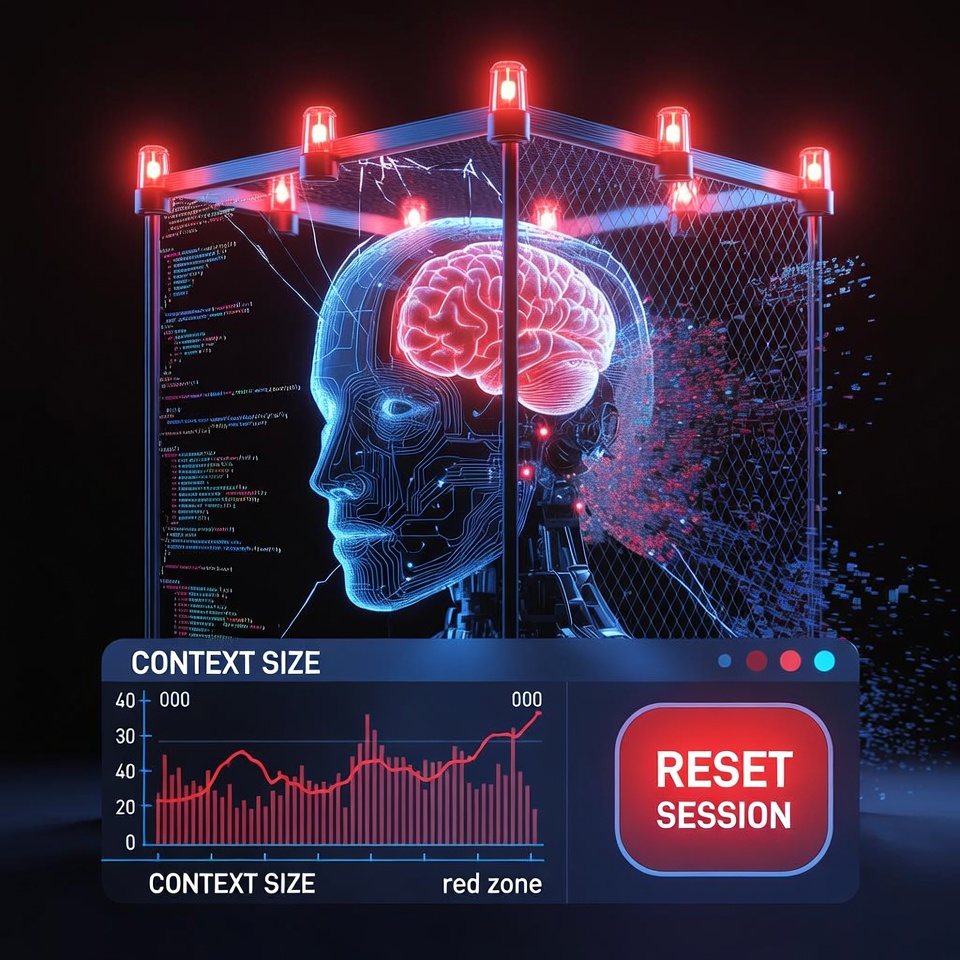
Give yourself a simple, opinionated session management layer. For example, build a Firestore backed dashboard or equivalent that shows:
- Current context size (tokens).
- Session duration (hours).
- Last auto save timestamp.
- A clear NEW SESSION button that is visible and prominent.
Monitor context size before every turn. Restart well before you approach the model's hard token limit. For example, if your model supports 64,000 tokens, consider restarting at around 40,000 tokens to leave a buffer. Define a yellow zone at around 45,000 and a red zone at around 55,000 or higher. Do not wait for degradation. Reset proactively.
The more skills and tools you build around your workflows, the more efficiently and accurately your work will get done. You save a lot of money when things are done right the first time.
Component 4: Auto Save (Every 15 Minutes)
Auto save every 15 minutes during active work. Sessions crash. Context degrades. Agents hallucinate. Save your work, but save it clean. Remove resolved failure language immediately. If anything crashes, you simply pick up where you left off.
We emphasized this in Article 6. It is not optional. It is the rollback capability that prevents catastrophic loss. Still make copies of everything. You can never be too prepared.
Component 5: Visibility (Local Deployment plus Dashboard)
Deploy locally when possible. Local gives you real time debugging, full visibility, and no black box managed by a third party. Pair it with a dashboard that shows what the agent is doing before it does it.
Remote VPS often equals remote black box. Local often equals full control. That is why we wrote "Why OpenClaw Locally Beats VPS". Regardless of where you deploy, you need:
- Centralized logging and traceability for agent actions.
- A short, human readable history of the last actions the agent took.
- Alerts when the agent enters unusual states or generates certain risk signals.
This is also where AI governance frameworks intersect with engineering. You want audit trails, human in the loop controls for high impact actions, and clear accountability for who approved what.
Section 5: The First Mover Advantage (If You Do It Right)
86% of enterprises are chasing agentic edge AI. Most will struggle because they are unknowingly building oversight debt into their systems. That is your opportunity.
What Most Teams Will Do
- Deploy cheap models that are barely adequate.
- Skip session management and context limits.
- Ignore context monitoring and drift signals.
- Add human approval layers as a reactive bandage.
- Babysit agents 24/7 and burn out their teams.
What You Can Do Instead
- Start with the right model for your constraints and workflows.
- Build rules and guardrails first, before tools and prompts.
- Deploy session management from day one, with clear token and time limits.
- Monitor context proactively and reset sessions before degradation.
- Build preventive architecture instead of reactive oversight, including visibility, governance, and rollback paths.
In six months, when 86% of teams are exhausted from babysitting degraded agents, you will have a system that quietly works. That is the real first mover advantage. Not only that, but those babysitters are not cheap. You need to factor in that human oversight cost when you analyze AI expenses.
We already did the hard work. We documented the journey across six articles. We built the architecture through four painful iterations. You do not have to repeat our mistakes. You just have to avoid the oversight trap and design for reliability from day one.
Get More Articles Like This
Getting your AI agent setup right is just the start. I'm documenting every mistake, fix, and lesson learned as I build PhantomByte.
Subscribe to receive updates when we publish new content. No spam, just real lessons from the trenches.